Handyman Estimating Software for Accurate Job Quotes
Last updated: August 27, 2026
Handyman estimating software helps you create quotes with labor and materials, get customer approvals, and turn estimates into invoices. Use our contractor profit calculator to validate your margins before sending any quote.
Build a quote around the work you have agreed to do, then carry its line items into an invoice. Pocket Boss gives owner operators one place to prepare estimates, review approvals, and organize billing.
Best for:
- Solo handymen who quote jobs on-site from their phone
- Owner-operators who want consistent, repeatable pricing
- Small crews (1-5) who need estimate-to-invoice conversion
Quote confidently. From $19.99/mo (Solo, one user) to $99.99/mo (Boss, up to 25 users).
14-day free trial • No contracts • Cancel anytime
See Handyman Estimates in Action
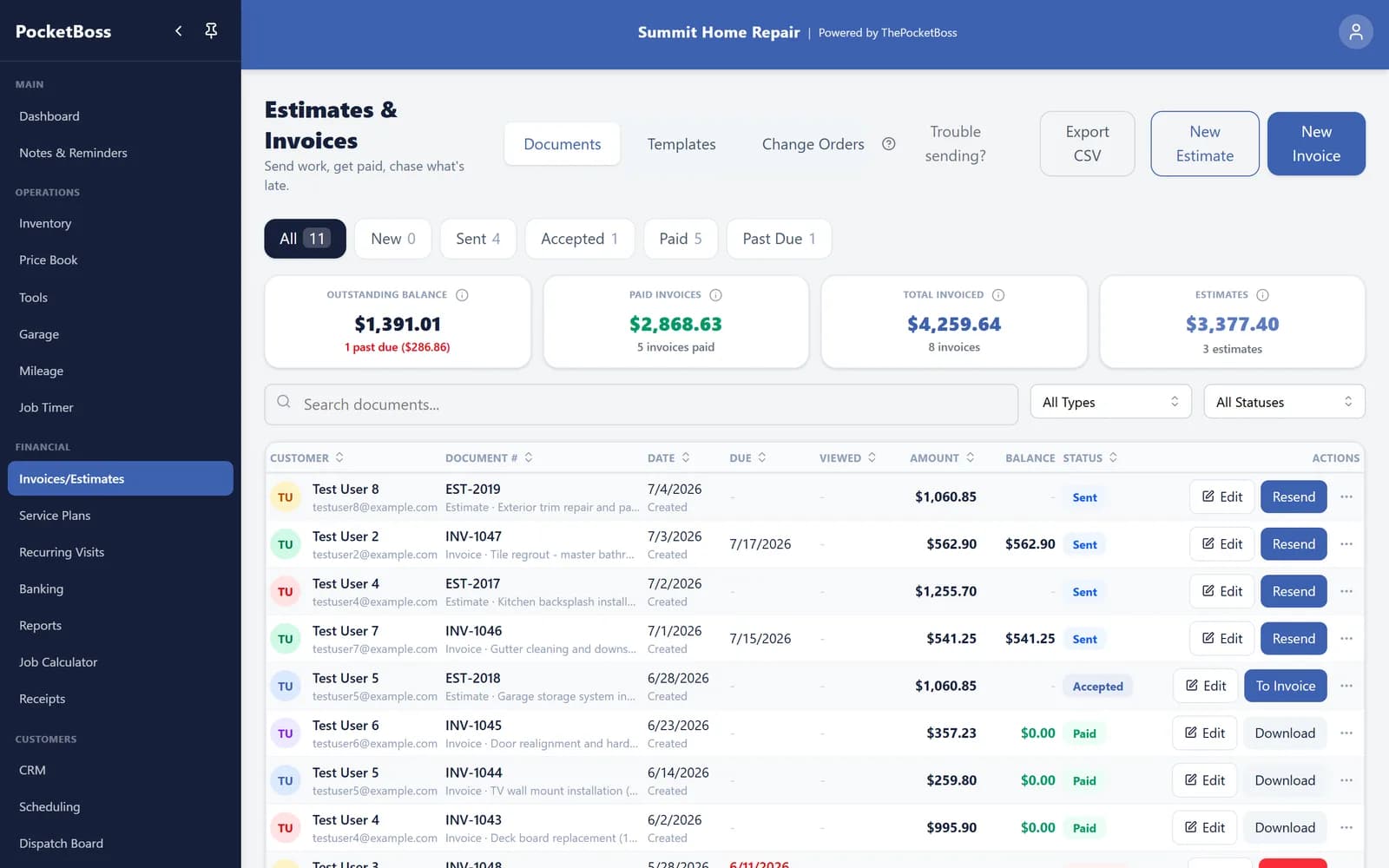
A real screenshot from the app: estimates and invoices live in one list, so winning a bid is one tap from billing it.
Example: quote a small handyman repair visit
This illustrative estimate combines a door adjustment and a small drywall patch. The numbers explain how to itemize a quote; they are not recommended rates or a customer case study.
| Work or material | Quantity × rate | Charge |
|---|---|---|
| Door adjustment | 1.5 hours × $80 | $120 |
| Small drywall patch | 2 hours × $80 | $160 |
| Patching materials and hardware | 1 lot × $45 | $45 |
| Estimate before tax | $325 | |
Define the scope
Record the door and patch location, access arrangements, and finish expected. State whether painting, hidden damage, or a return visit needs a separate quote.
Check cost separately
The $80 is a selling rate, not an employee wage or your profit. Include your actual costs and overhead when checking the job with the contractor profit calculator.
Tax is omitted from this illustration. Add any applicable tax and review the final total before sending. The invoicing example follows the same job through an approved change and a partial payment.
Create Detailed Job Estimates
Include everything the customer needs to see — and everything you need to protect your margins. Not sure how to set your markup? Try the markup vs margin calculator to dial in your pricing.
Save quote templates
Save quote templates for common handyman jobs to speed up quoting. Stop building the same estimate from scratch every time.
Convert Approved Estimates to Invoices Instantly
Once approved, estimates convert directly into invoices. No retyping. No duplication. This reduces admin time and billing errors so you can focus on the next job. For more on the invoicing side, see our handyman invoicing software guide.
Create estimate
Build a detailed quote with labor, materials, and markup on your phone or desktop.
Send to customer
Email the estimate or share a link. Customers review it on their phone.
Get approval
Customer approves the estimate. You get notified and can start the work.
Convert to invoice
One click turns the approved estimate into an invoice. No retyping.
Improve Pricing Consistency
Save a starting point for common services, then check quantities, access, material costs, and scope for each job. A template does not guarantee the right price for every repair. Want to see the full picture? Visit our handyman business software overview.
You can also use our Contractor Profit Calculator to validate margins before sending a quote.
Key Takeaways
- Create quotes with labor, materials, and markup
- Save templates for common repair jobs
- Send estimates and get customer approval
- Convert approved estimates to invoices instantly
- Standardize pricing across common services
- Protect profit margins on every job
Looking for an all-in-one system? See our Handyman Business Software overview.
Frequently Asked Questions
What is the best estimating software for handymen?
Software that allows fast quote creation, itemized labor and materials, saved templates for common jobs, and direct invoice conversion is ideal for small handyman businesses. Look for tools built for field contractors, not general-purpose accounting software.
Can estimating software track profit margins?
An estimate records what you plan to charge; that total is not your profit. Compare the selling price with your labor cost, materials, and allocated overhead using the contractor profit calculator. After the job, compare actual costs with the estimate. Converting an estimate to an invoice does not by itself prove that the job met your margin target.
What should a handyman estimate include?
Describe the work, quantities, labor charges, materials, applicable tax, and the total. State the assumptions and exclusions: for example, whether a drywall patch includes paint, a return visit, or hidden damage. Review the scope with the customer before starting, and document any additional work separately.
What happens when I convert an estimate to an invoice?
Pocket Boss converts the estimate into an invoice with its line items. For a tiered estimate, select the option the customer agreed to. Review the invoice date, due date, payment details, and any agreed changes before sending it; conversion is not the same as receiving payment.
Quote Like a Pro, Get Paid Like One
Create quotes quickly, standardize pricing, convert to invoices, and protect your margins. Professional estimating for handymen who take their business seriously.
Credit card required • Cancel anytime
Pricing and features may change. All trademarks are property of their respective owners.