
Housecall Pro alternative
Housecall Pro Alternatives for Contractors: Cost, Fit and Switching
PocketBoss is the simpler choice for an owner-operator or crew that wants scheduling, estimates, invoicing and maintenance plans in one month-to-month plan; Housecall Pro is the broader product, with more automations and add-ons for an office-run team. As published on November 18, 2026, Housecall Pro lists Basic at $79/month billed monthly or $59/month billed annually with one user included, Essentials at $189/month or $149/month billed annually with five users, and Max at $329/month or $299/month billed annually with eight users and $35/month per additional user. PocketBoss lists four plans from $19.99/month (Solo, one user) to $99.99/month (Boss, up to 25 users), seats included.
Jobber, ServiceM8, Kickserv and Service Fusion also publish their prices, and Workiz prices on request; all six are compared below. If a specific Housecall Pro capability is required for your business, price the plan that includes it, not the starting number.
- From $19.99/month
- 14-day free trial
- Web, iPhone and Android
Published monthly prices
| Team | PocketBoss | Housecall Pro |
|---|---|---|
| 1 user | Solo $19.99 | Basic $59 to $79 |
| 5 users | Essentials $29.99 | Essentials $149 to $189 |
| 8 users | Pro $49.99 | Max $299 to $329 |
| 10 users | Pro $49.99 | Max plus 2 users $369 to $399 |
Housecall Pro's range runs from its billed-annually price to billed monthly. Read on each vendor's pricing page on November 18, 2026; details and sources below.
Housecall Pro competitors: 6 alternatives worth a look
Each vendor's own published prices, in US dollars before tax. Where a vendor shows “Request pricing”, there is no public number to compare, so we say so instead of guessing.
| Alternative | Published price | Compared with Housecall Pro | Tends to fit | Watch for |
|---|---|---|---|---|
| PocketBoss | Solo $19.99/month (1 user), Essentials $29.99 (up to 5), Pro $49.99 (up to 10), Boss $99.99 (up to 25). Month to month. | Lower published subscription at every team size in the table below, with maintenance plans and equipment records on every plan. | Owner-operators and crews who mainly quote, schedule, invoice, collect payment and run maintenance plans. | No commissions or payroll, and the API covers leads, customers and scheduling only; email support; online payments for US businesses only; a 0.5% platform fee on card payments. |
| Jobber | Core $29/month billed annually or $49 with no commitment (1 user); Connect $149 or $199 for 5 users and $229 or $299 for 10. | Lower than Housecall Pro Basic for one user; the same $149 billed annually at five users. | Teams that want QuickBooks Online sync (listed on Connect) and job costing (listed on Grow). | Core is for one user, and teams of 16 or more go through sales. |
| ServiceM8 | Free for 1 user and 30 jobs a month; Starter $29/month (50 jobs), Growing $79 (150 jobs), Premium $149 (500 jobs), Premium Plus $349 (1,500 or more). Paid plans are not priced per user. | Priced by jobs a month, not by users, so the comparison depends on your job count. | Crews with several people and a modest job count; online bookings, QuickBooks Online and Xero, recurring jobs and auto routing are listed on all plans. | The bill rises with job volume, and job costing is listed on Premium and up. |
| Kickserv | Start $60/month (5 users), Run $119 (10 users), Scale $199 (20 users); the page offers 20% off with an annual subscription. 30-day free trial. | Five users for about what Housecall Pro Basic charges for one. | Crews of 5 to 20 that want QuickBooks Online (listed on Start) and dispatch mapping (listed on Run). | QuickBooks Desktop is listed at $50/month extra on Run. |
| Service Fusion | Starter $259/month or $220 billed annually; Plus $399 or $339; Pro $649 or $552. The price covers any number of users, month to month. | Higher than Housecall Pro Basic and Essentials, but the price does not change with head count. | Larger teams that do not want to pay per user. | Job costing and inventory are add-ons on Starter, and the page offers a demo rather than a free trial. |
| Workiz | No published prices: Standard, Pro and Ultimate each show Request pricing. 7-day free trial, no credit card. | Cannot be compared from public numbers. | Teams that want online booking, QuickBooks Online sync, a price book and recurring jobs, which Workiz lists on all plans. | Service plans, sales proposals, inventory and open API are listed on Ultimate only. |
PocketBoss vs Housecall Pro: quick decision
Choose PocketBoss if:
- You are an owner-operator or run a crew and want a simpler system for scheduling, invoicing and getting paid.
- You sell maintenance plans and do not want to buy the top plan to get them.
- You want the price to stay the same as you add people, up to the plan's seat count.
- You want software your crew can learn fast and use daily from a phone.
Choose Housecall Pro if:
- You run an office-managed operation and want deeper dispatch or automation workflows.
- You pay commissions or want payroll in the same system.
- You rely on an API for jobs, estimates or invoices, a dedicated onboarding specialist or phone support.
Is PocketBoss cheaper than Housecall Pro? Yearly cost at 1, 5 and 10 users
Twelve months of subscription only. Housecall Pro's two numbers are its billed-annually and billed-monthly prices; PocketBoss is month to month. We picked the smallest Housecall Pro plan that covers each row: its page lists QuickBooks Online sync from Essentials and Recurring Service Plans on Max.
| Team | Housecall Pro plan | Housecall Pro per year | PocketBoss plan | PocketBoss per year | PocketBoss costs less by |
|---|---|---|---|---|---|
| 1 user | Basic (1 user) | $708.00 billed annually $948.00 billed monthly | Solo (1 user) | $239.88 | $468.12 to $708.12 |
| 1 user who needs QuickBooks Online sync | Essentials (5 users) | $1,788.00 billed annually $2,268.00 billed monthly | Essentials (up to 5 users) | $359.88 | $1,428.12 to $1,908.12 |
| 5 users | Essentials (5 users) | $1,788.00 billed annually $2,268.00 billed monthly | Essentials (up to 5 users) | $359.88 | $1,428.12 to $1,908.12 |
| 5 users who sell maintenance plans | Max (8 users) | $3,588.00 billed annually $3,948.00 billed monthly | Essentials (up to 5 users) | $359.88 | $3,228.12 to $3,588.12 |
| 8 users | Max (8 users) | $3,588.00 billed annually $3,948.00 billed monthly | Pro (up to 10 users) | $599.88 | $2,988.12 to $3,348.12 |
| 10 users | Max plus 2 added users at $35 each | $4,428.00 billed annually $4,788.00 billed monthly | Pro (up to 10 users) | $599.88 | $3,828.12 to $4,188.12 |
On November 18, 2026 Housecall Pro's page also showed a limited-time offer of 50% off the first 3 months. The table uses its regular prices.
Yearly cost of every alternative at 1, 5 and 10 users
The same arithmetic for all seven tools: each published monthly price times 12, using the smallest plan that includes that many users.
| Software | 1 user, per year | 5 users, per year | 10 users, per year | How the range is built |
|---|---|---|---|---|
| Housecall Pro | $708.00 to $948.00 (Basic) | $1,788.00 to $2,268.00 (Essentials) | $4,428.00 to $4,788.00 (Max plus 2 users) | Billed annually to billed monthly |
| PocketBoss | $239.88 (Solo) | $359.88 (Essentials) | $599.88 (Pro) | Month to month |
| Jobber | $348.00 to $588.00 (Core) | $1,788.00 to $2,388.00 (Connect) | $2,748.00 to $3,588.00 (Connect) | Billed annually to no commitment |
| Kickserv | $720.00 (Start, which includes 5 users) | $720.00 (Start) | $1,428.00 (Run) | Listed monthly price times 12; the page offers 20% off with an annual subscription |
| Service Fusion | $2,640.00 to $3,108.00 (Starter) | $2,640.00 to $3,108.00 (Starter) | $2,640.00 to $3,108.00 (Starter) | Billed annually to month to month; any number of users |
| ServiceM8 | $0.00 for up to 30 jobs a month | $348.00 to $4,188.00, by job volume | $348.00 to $4,188.00, by job volume | Priced by jobs, not users: Starter (50 jobs a month) to Premium Plus (1,500 or more) |
| Workiz | Not published | Not published | Not published | Request pricing |
Payment processing can narrow the gap
PocketBoss takes a platform fee of 0.5% on card payments (0.25% on ACH, capped at $25) on top of Stripe's processing, deducted from your payout. Illustrative example: a 5-person crew that collects $250,000.00 a year by card through PocketBoss pays $1,250.00 in platform fees. Added to Essentials, that is $1,609.88 a year plus Stripe's processing, against $1,788.00 to $2,268.00 for Housecall Pro Essentials plus its own processing. Housecall Pro's page lists card processing from 2.59% and a 1% fee on bank payments. Run the same math at your own card volume; customers who pay by ACH or check shrink the PocketBoss fee.
For an HVAC shop: Housecall Pro plans versus PocketBoss plans
The things an HVAC, plumbing or electrical company asks about first, with the plan each vendor lists them on. Housecall Pro cells quote housecallpro.com/pricing; PocketBoss cells come from the current plan catalog. Where the Housecall Pro page does not list something, the cell says so. A listed feature is not a claim about how deep it goes, in either direction.
| What a service shop asks about | Housecall Pro | PocketBoss |
|---|---|---|
| Starting plan, one user | Basic: $79/month billed monthly, $59/month billed annually, 1 user included | Solo: $19.99/month, one user |
| Crew plan | Essentials: $189/month billed monthly, $149/month billed annually, 5 users included | Essentials: $29.99/month, up to 5 users |
| Top plan | Max: $329/month billed monthly, $299/month billed annually, 8 users included, $35/month per additional user | Pro: $49.99/month, up to 10 users; Boss: $99.99/month, up to 25 users. Seats are part of the plan price. Enterprise covers 26 or more users, priced by quote. |
| Maintenance agreements | Recurring Service Plans, listed on Max | Service Plans on every plan: members per service address, a labeled visit schedule, renewals due in the next 60 days, auto-charge a saved card or bill the member yourself |
| Scheduling and dispatching | Scheduling and dispatching, listed on Basic | Calendar on every plan; the live dispatch board (crew rows, unassigned queue, drag to assign, on-my-way) on Essentials |
| Flat-rate price book | Price book, listed on Basic; flat-rate pricing, listed on Essentials | Price Book on every plan: categories four levels deep, cost and sell price, cost-band markup, CSV import |
| Routing | Routes, listed on Essentials; Route optimization, listed on Max | Smart routing on Pro |
| QuickBooks Online | QuickBooks Online sync, listed on Essentials | QuickBooks Online sync of invoices and payments on Essentials |
| Good, better, best proposals | Sales proposal tool, listed on Max (the page describes it as a $40/month value) | Tiered estimates on Pro; single-option estimates with e-signature on every plan |
| Employee location | Employee GPS tracking, listed on Essentials | A GPS stamp on clock punches on Essentials when the employee allows it; no live tracking |
| Online booking | Online booking, listed on Basic | Online booking page on Essentials |
| Equipment records | Not listed on the pricing page | Customer equipment records on every plan: make, model, serial, refrigerant type, filter size, warranty date with a 30-day alert |
| Phone answering | CSR AI and Voice Solutions appear as add-ons; no price is shown on the pricing page | AI Receptionist add-on on every plan; the number and 100 minutes a month included on Boss |
| Trial and commitment | 14 days free, no credit card required; the page says it does not require long-term contracts | 14-day trial, credit card required; month to month, cancel anytime |
When Housecall Pro is the better pick
Where Housecall Pro lists something PocketBoss does not have:
- Commissions (listed on Housecall Pro Essentials) and Payroll (listed as an add-on): PocketBoss has no commission calculation and no payroll run. Crew hours export as CSV for your payroll provider.
- Open API access (listed on Max): PocketBoss has an API for leads, customers and the schedule (open times, bookings and booked visits). It does not cover jobs, estimates, invoices or the price book.
- Live phone and chat support (listed on every plan), plus a dedicated onboarding specialist and escalated phone support (listed on Max): PocketBoss setup is self-serve and support is by email.
- Photo reports and annotations (listed on Essentials): PocketBoss stores photos and notes on the job and the equipment record; it does not annotate photos or build a photo report.
- Vehicle GPS and dashcams, business coaching and websites (listed as add-ons): PocketBoss has no dashcam or coaching product. A business site with a Get an Estimate form is part of every plan.
- Your crew knows Housecall Pro, the bill is fine, and switching would cost you more time than the subscription gap saves.
The HVAC contractor software page walks one service call from the first visit to the next tune-up, with the plan each step starts on. If the quote on your desk is from ServiceTitan rather than Housecall Pro, the ServiceTitan alternative page covers that comparison for a 1 to 10 truck shop.
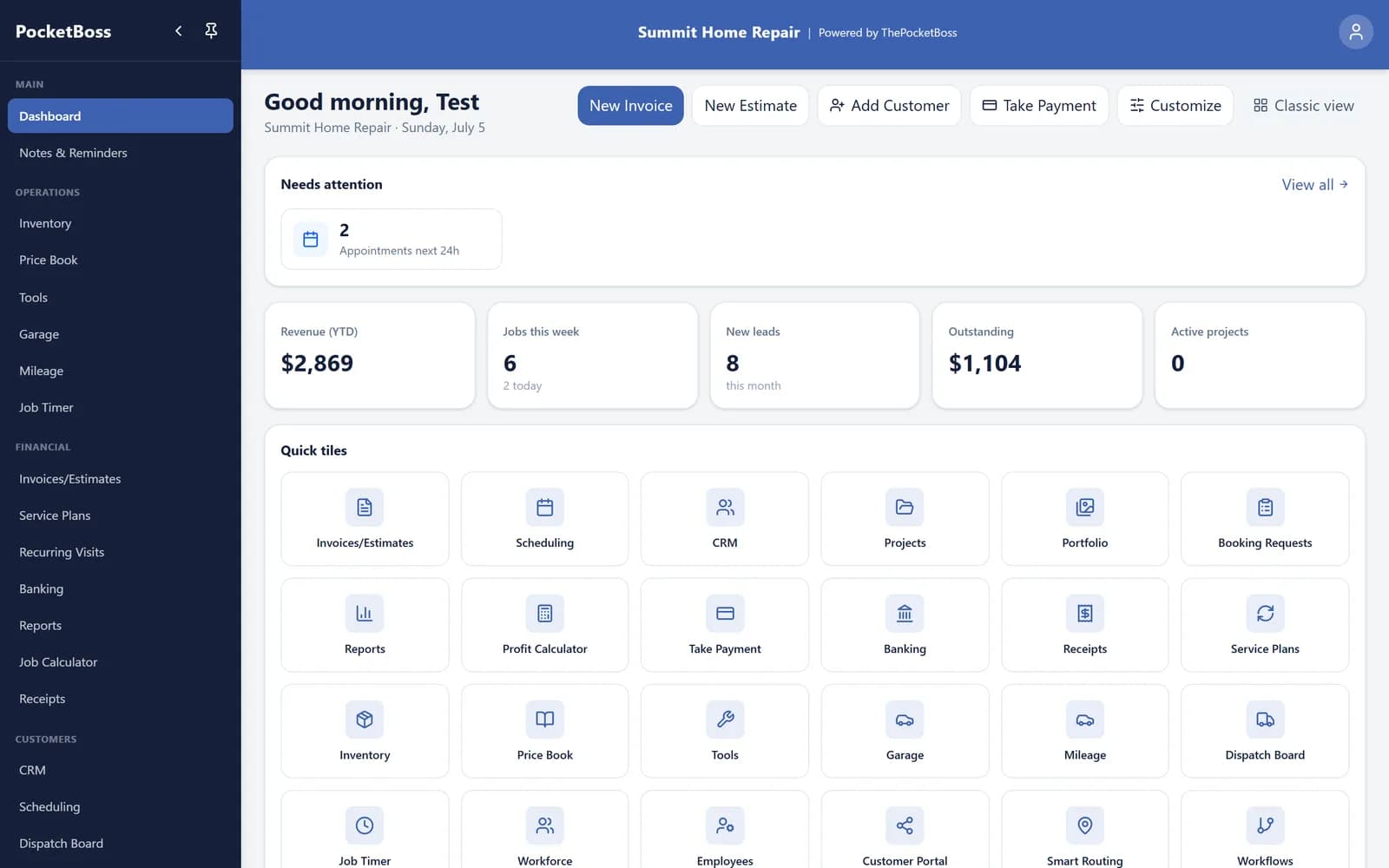
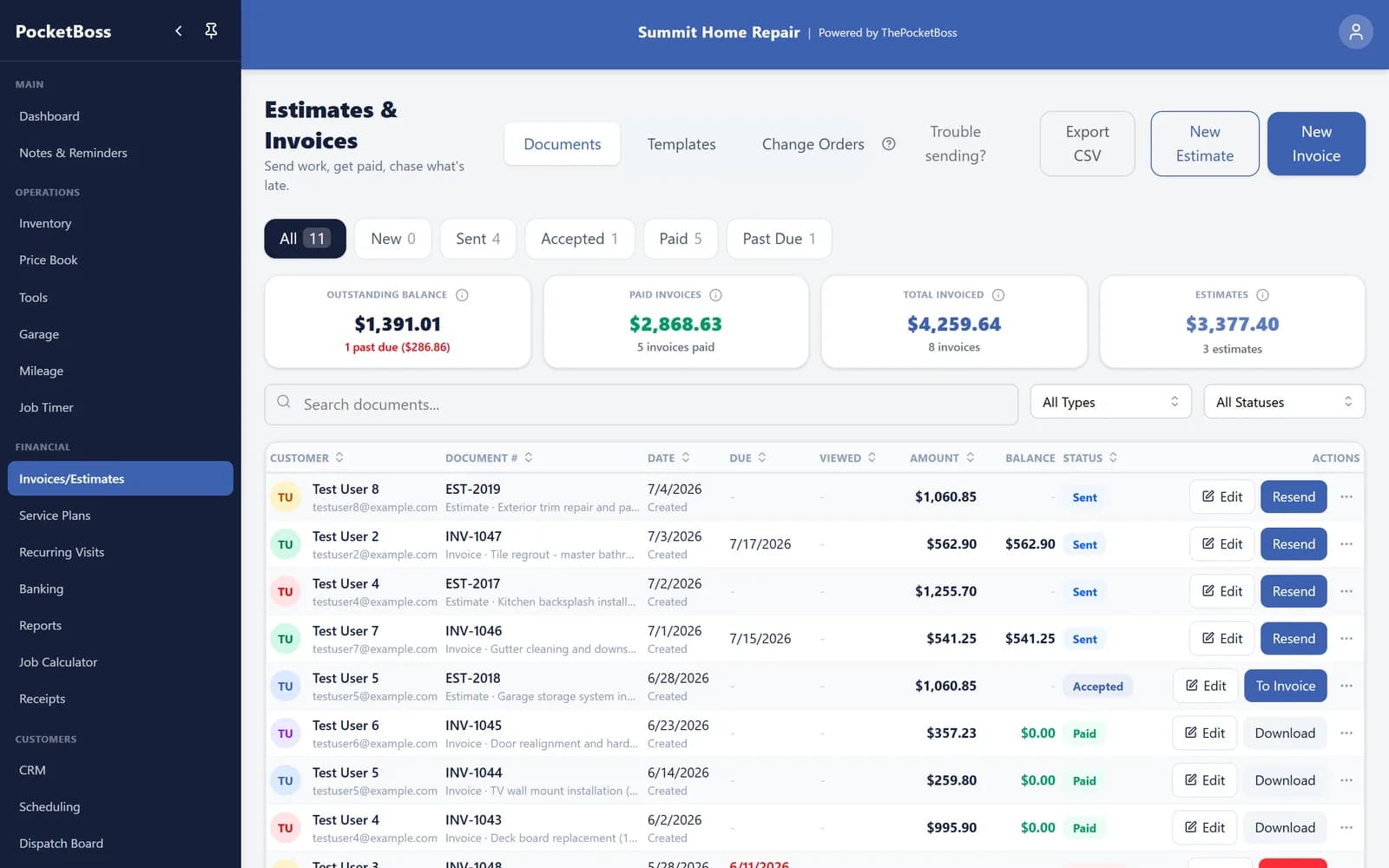
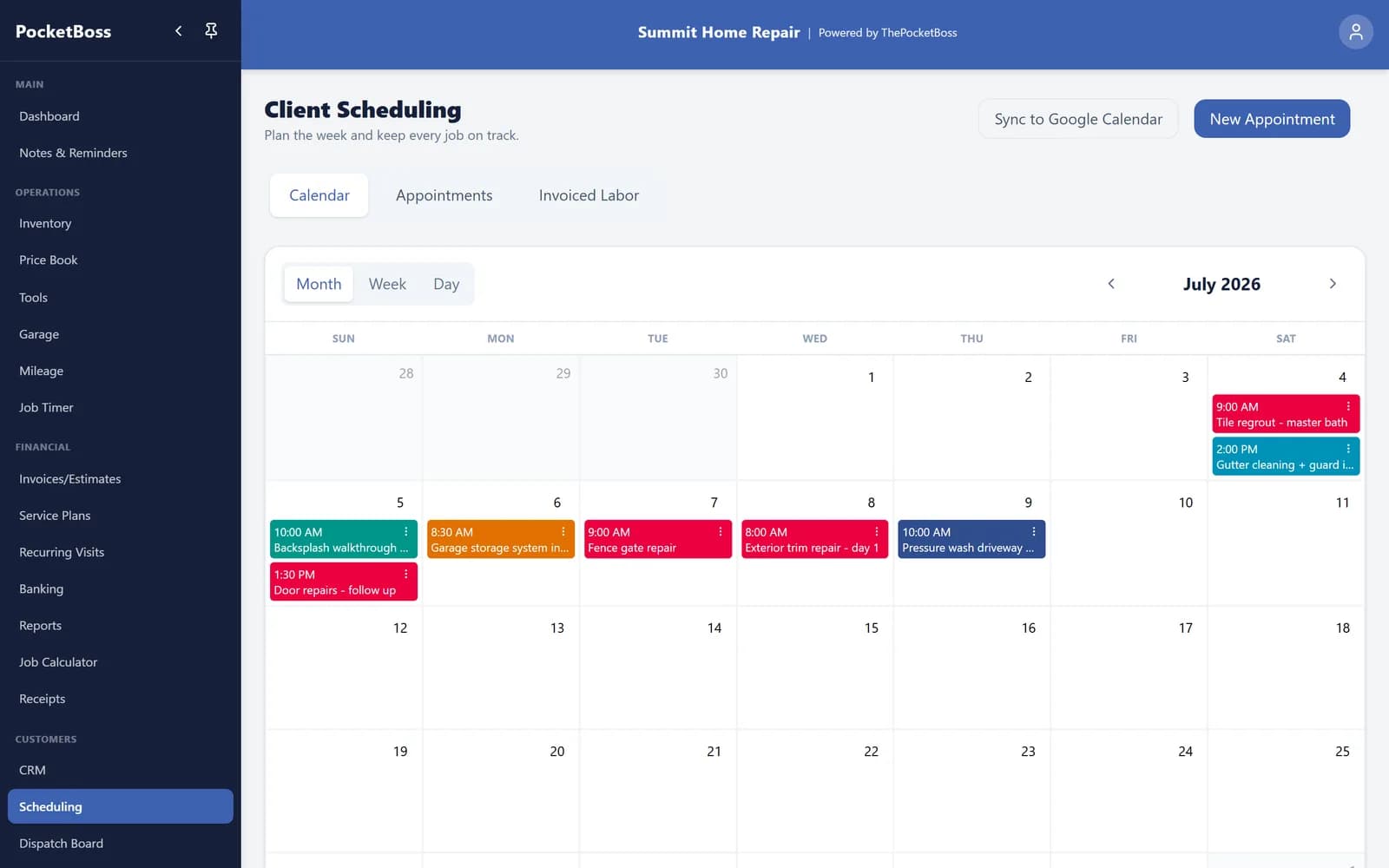
What you get when you switch
Real screens from PocketBoss: the dashboard, invoicing and scheduling you would use day to day.
How to switch from Housecall Pro to PocketBoss
1. Save your customer list from Housecall Pro
In Housecall Pro an admin opens Customers and chooses Export; the list arrives by email as a CSV file (see Housecall Pro's help article in the sources below). Also save your estimates, invoices and job history for your records.
2. Import them into PocketBoss
Start the trial and, on a computer, open CRM, Clients, Import, From a spreadsheet (CSV), and download the template. There is no one-click Housecall Pro import, so copy your columns under the template's headings (First Name and Last Name are required), then upload. Customers whose email or phone is already in PocketBoss are skipped and listed.
3. Load your prices
Import your services and parts into the Price Book from a CSV (a template is provided), mapping each column to cost, customer price and unit.
4. Connect payments and follow-ups
Connect Stripe so customers can pay by card or ACH, then turn on overdue-invoice follow-ups and check your appointment reminder settings.
5. Run one real job end to end
Estimate, signature, schedule, invoice, payment. If your crew can do it without calling you, you are ready.
6. Run both, then cancel one
Put new work in PocketBoss and finish open jobs and unpaid invoices in Housecall Pro. If you are billed annually, check your renewal date before you cancel.
Housecall Pro alternative questions
What is a simpler alternative to Housecall Pro for an owner-operator?
PocketBoss is the simpler choice for an owner-operator or crew that wants scheduling, estimates, invoicing and maintenance plans in one month-to-month plan: $19.99 a month for one user, against Housecall Pro Basic at $59 a month billed annually or $79 billed monthly. Jobber Core ($29 to $49 a month, one user) and ServiceM8 (free for one user and 30 jobs a month, then from $29) are other low-priced options that publish their prices. Housecall Pro is the broader product, with more automations and add-ons for an office-run team.
What are cheaper alternatives to Housecall Pro?
By published subscription price: PocketBoss costs $239.88 a year for one user and $359.88 for up to 5, against $708.00 to $948.00 for Housecall Pro Basic and $1,788.00 to $2,268.00 for Essentials. Jobber Core is $348.00 to $588.00 a year for one user, Kickserv Start is $60 a month for five users, and ServiceM8 has a free plan for one user and 30 jobs a month. Check that the cheaper plan includes the features you use before you count the savings.
What is cheaper than Housecall Pro and still does scheduling, estimates, invoices and a worker app?
PocketBoss: every plan has scheduling, estimates with e-signature, invoices with online payment and iPhone and Android apps, and Essentials gives up to 5 people their own login for $29.99 a month, against $149 to $189 a month for Housecall Pro Essentials with five users. Essentials also adds the dispatch board and the crew time clock. Jobber Connect for five users is $149 to $199 a month, and Kickserv Start is $60 a month for five users.
What is a good Housecall Pro alternative for established service contractors?
For an established shop with office staff, compare Service Fusion (one price for any number of users, from $220 a month billed annually), Jobber Connect or Grow (QuickBooks Online sync and job costing) and ServiceTitan, which prices by quote. PocketBoss Pro covers up to 10 users for $49.99 a month and Boss up to 25 for $99.99, with the dispatch board, crew time clock and job costing; it does not run payroll or commissions, so a shop that needs those in one system should stay with Housecall Pro or look at the other three.
Who are Housecall Pro’s main competitors?
Field service tools that cover the same schedule, estimate, invoice and payment workflow include Jobber, ServiceM8, Kickserv, Service Fusion, Workiz, ServiceTitan and PocketBoss. Jobber, ServiceM8, Kickserv, Service Fusion and PocketBoss publish their prices; Workiz and ServiceTitan price on request.
Is there a free Housecall Pro alternative?
ServiceM8 lists a free plan for one user and up to 30 jobs a month. The other tools on this page charge a monthly price: PocketBoss has a 14-day free trial (credit card required) and then costs $19.99 a month for one user.
Is PocketBoss a Housecall Pro alternative?
Yes. PocketBoss covers the core estimate-to-payment workflow for owner-operators and crews of up to 25, while Housecall Pro offers a broader add-on and automation range.
Is PocketBoss replacing Housecall Pro?
No. PocketBoss is a separate product with overlapping core workflows. PocketBoss focuses on owner-operators and field crews; Housecall Pro offers a broader range of features and add-ons.
Is PocketBoss missing features compared to Housecall Pro?
Yes. Commissions, payroll, an API that reaches jobs, estimates and invoices, photo reports with annotations, a dedicated onboarding specialist and phone support are listed on Housecall Pro plans or add-ons and are not in PocketBoss. Compare the workflows your business actually uses, the plan required for each feature, included users and total cost before choosing.
How much does Housecall Pro cost compared with PocketBoss?
As of November 18, 2026, Housecall Pro lists Basic at $59/month billed annually or $79/month billed monthly (1 user), Essentials at $149 or $189 (5 users), and Max at $299 or $329 (8 users, $35/month per additional user), with add-ons priced separately. PocketBoss plans run from $19.99/month (Solo, one user) to $99.99/month (Boss, up to 25 users). The products are not identical, so compare required features as well as price.
Can I try PocketBoss while still using Housecall Pro?
Yes. The PocketBoss trial lasts 14 days; a credit card is required and nothing is charged until it ends. Run the same sample customer, estimate, scheduled job, invoice and payment in both so the comparison is concrete, then cancel whichever one does not fit.
Can I import my data from Housecall Pro?
There is no automatic Housecall Pro import. Save your customer list from Housecall Pro as a CSV file, then bring it into PocketBoss with the CSV customer import: put your columns under the template headings and upload, and customers already in PocketBoss are skipped. Estimates, jobs, invoices and payment history do not come across, so keep your Housecall Pro export for your records.
Is PocketBoss reliable? What about support?
PocketBoss provides email support from the product team, and setup is self-serve. Review the current terms, privacy policy, product documentation and support options for either vendor before moving business-critical data.
What’s included in each PocketBoss plan?
PocketBoss plans run from $19.99/month (Solo, one user) to $99.99/month (Boss, up to 25 users), all with invoicing, scheduling, estimates, CRM, Jobs, service plans and a price book. Essentials adds the dispatch board, crew time clock, job costing, online booking and QuickBooks Online sync; Pro adds tiered estimates and smart routing. Enterprise covers 26 or more users, priced by quote. Texting and AI usage beyond plan allowances and online payment processing are priced separately.
More comparisons and guides
- Jobber alternativesFive options and what they cost
- ServiceTitan alternativeFor a 1 to 10 truck shop
- Workiz alternativePocketBoss vs Workiz
- Kickserv alternativePocketBoss vs Kickserv
- HVAC contractor softwareOne service call, start to finish
- Best HVAC softwareNine HVAC tools compared
- Best plumbing softwarePlumbing tools compared
- Handyman business softwareFor handyman businesses
- Handyman CRM softwareCustomer records and follow-ups
- HVAC profit margin calculatorPrice a job from its costs
- Contractor software migration checklistPlan the switch
- PocketBoss featuresEverything in the app
- PocketBoss pricingPlans, users and payment fees
Sources, scope and commercial disclosure
PocketBoss publishes this page and benefits if you become a customer. Competitor prices and plan features were read on the vendors' own public pages on November 18, 2026, in US dollars before tax, and change often; confirm them with each vendor before you buy. PocketBoss details come from the current plan catalog and product documentation.
Reviewed by Blake McAmis, PocketBoss owner and product builder. Yearly figures multiply each published monthly price by 12 and exclude tax, add-ons, payment processing and texting or AI usage beyond plan allowances. Feature rows name the plan a vendor's pricing page lists a feature on; they are not an independent test of how deep it goes. Subjective claims about setup time or a universal “best” product are left out.
- Housecall Pro pricing (plans, users, billing terms, plan features, trial)
- Housecall Pro help: how to import and export jobs and customers
- Jobber pricing
- ServiceM8 pricing
- Kickserv pricing
- Service Fusion pricing
- Workiz pricing
Read our editorial policy. Spot a mistake? Email [email protected] and we will fix it. Product and company names belong to their owners.

Test PocketBoss next to Housecall Pro
Bring in your customer list, run one job from estimate to payment, and keep Housecall Pro running until you are sure.
Credit card required to start. Month to month, cancel anytime.