Best Handyman Software for Small Service Businesses
Handyman software helps small service businesses manage scheduling, estimates, invoicing, payments, and customer communication from one platform.
This guide compares the best handyman software options for solo handymen, owner-operators, and small crews so you can choose the right platform for your business.
Who this is for: Solo handymen, small crews (1–5 people), and service business owners looking for an affordable, all-in-one platform.
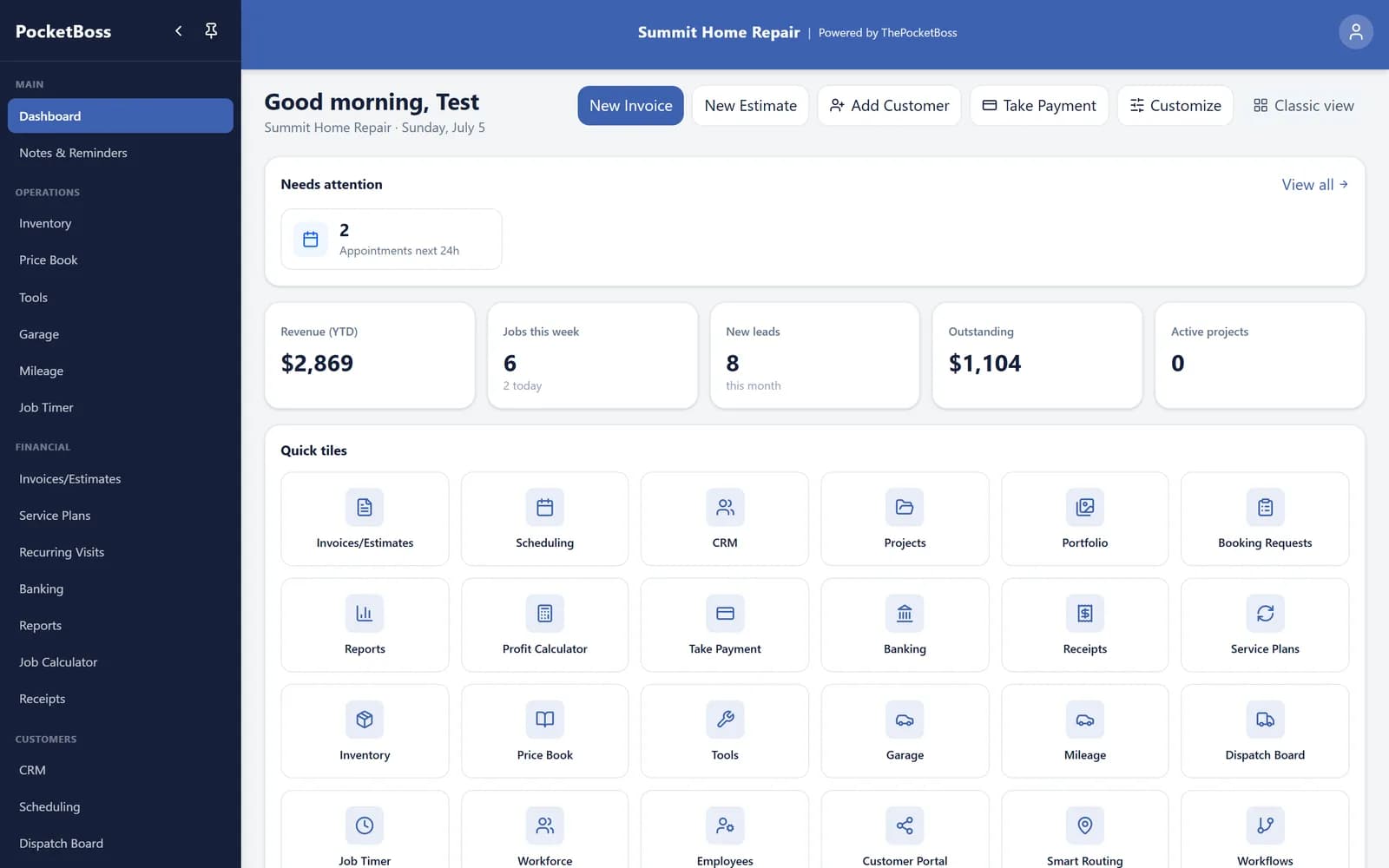
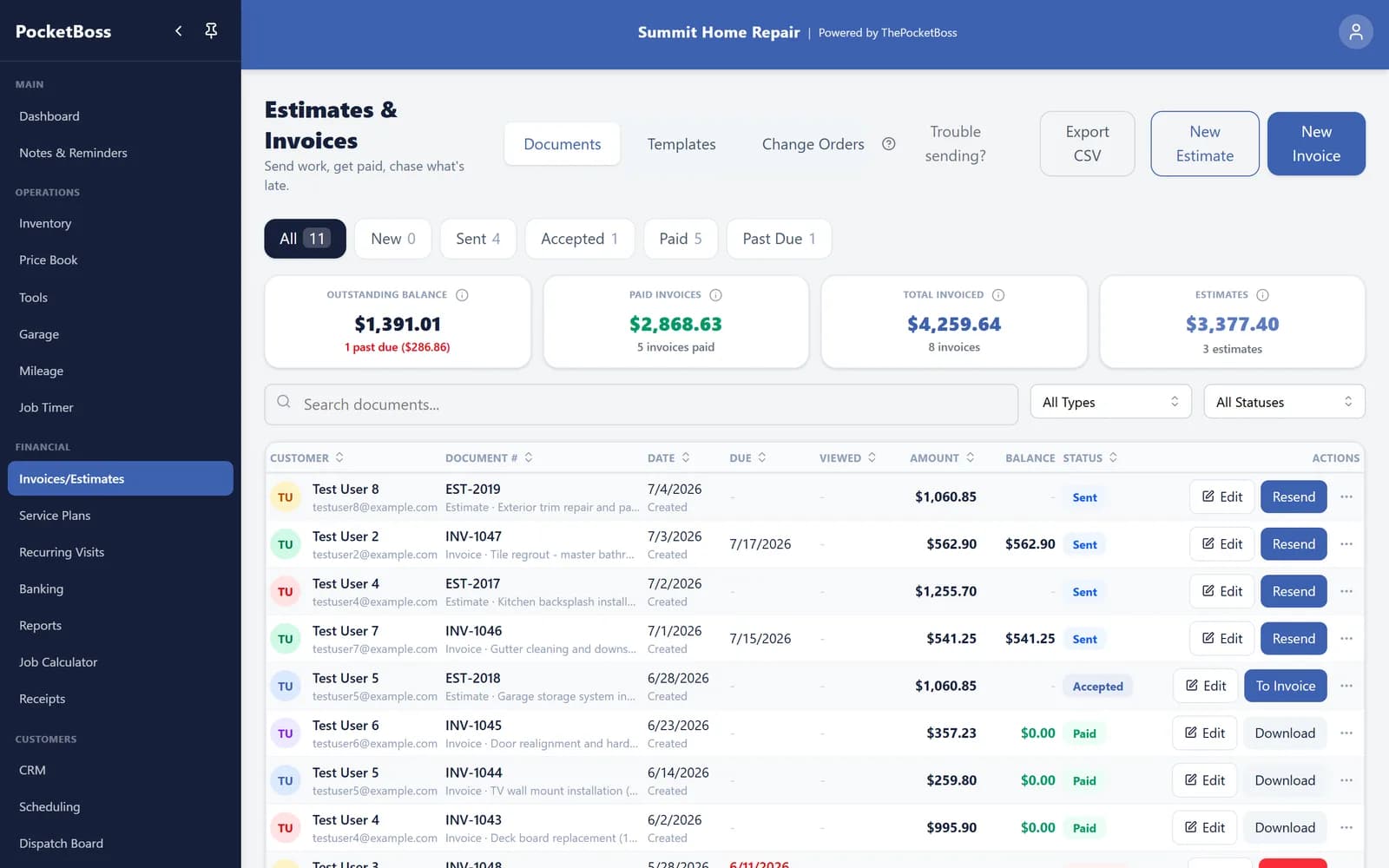
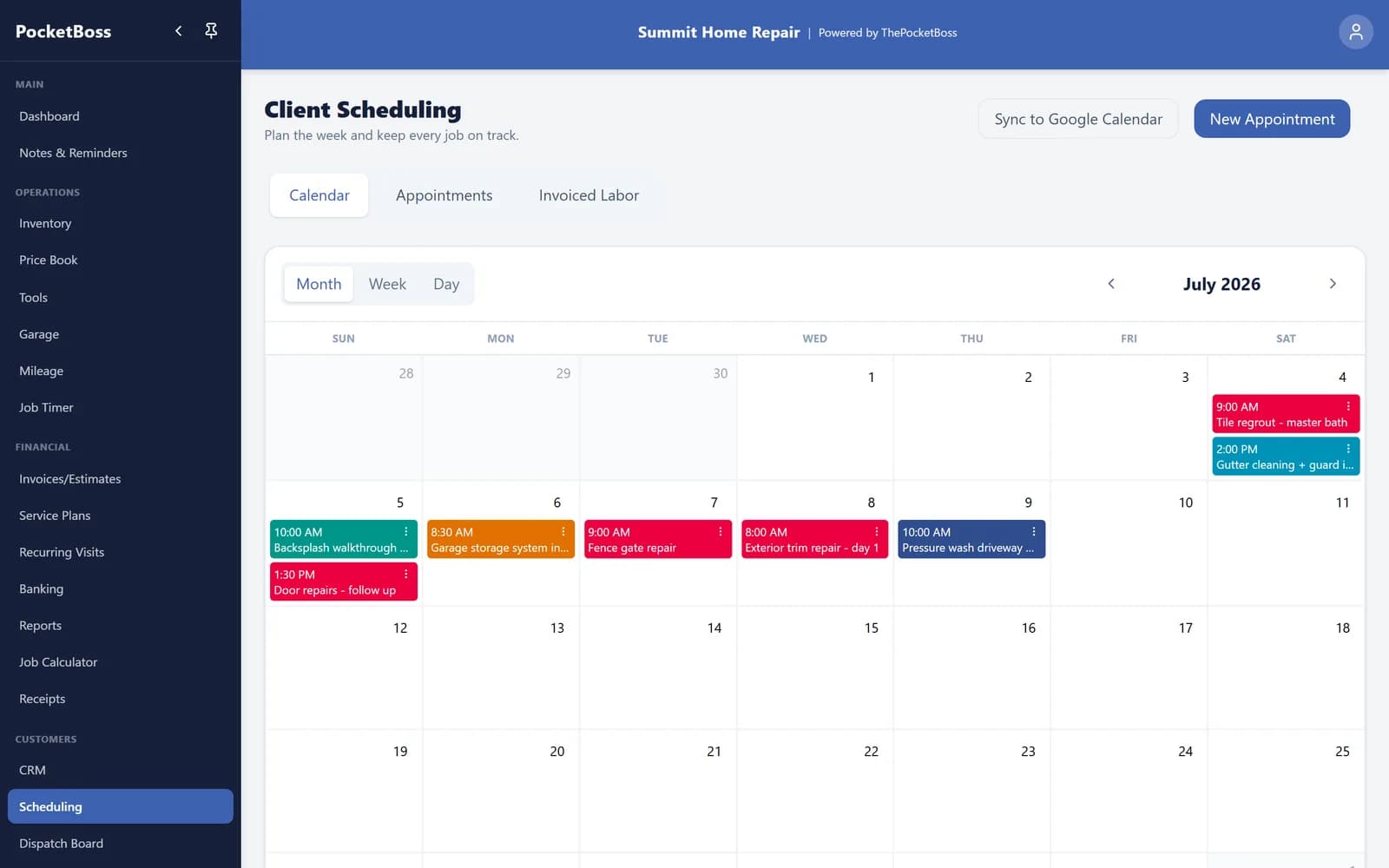
What Pocket Boss Looks Like
Real screenshots from the app, not mockups: dashboard, invoicing, and scheduling.
What to Look for in Handyman Software
Scheduling & Calendar
Book jobs, manage your calendar, and send appointment reminders to clients.
Estimates & Invoicing
Create professional estimates, convert to invoices, and collect payments.
Payment Processing
Offer eligible card or ACH payment methods from an invoice link.
CRM & Client Management
Track client history, contact info, and job notes in one place.
Mobile Access
Manage your business from your phone — on the job site or at home.
Affordable Pricing
Look for transparent pricing with no hidden fees or per-user charges.
Handyman Software Comparison
Different handyman software platforms are built for different business sizes. Some focus on owner-operators and small crews, while others are designed for larger teams with dispatchers and office staff.
Pocket Boss
All-in-one business management built for owner-operators and small teams. Scheduling, invoicing, estimates, CRM, inventory, and online booking in one platform.
- Scheduling & Calendar
- Invoicing & Payments
- Estimates & Templates
- CRM & Client Portal
- Inventory Management
- Online Booking Page
Jobber
Popular field service management platform with scheduling, invoicing, and CRM. Well-suited for growing service businesses.
- Scheduling & Dispatching
- Invoicing
- CRM
- Quoting
- Client Hub
Housecall Pro
Field service platform focused on dispatching, payment processing, and online reviews. Good for businesses with multiple technicians.
- Dispatching
- Payment Processing
- Online Reviews
- Estimates
- Marketing Tools
Kickserv
Straightforward service management with estimates, scheduling, and invoicing. Offers a free tier for very small operations.
- Estimates
- Scheduling
- Invoicing
- Customer Management
- Time Tracking
Workiz
Field service management platform with communication tools, scheduling, and payment processing.
- Scheduling
- Communication Tools
- Payment Processing
- Reporting
- Lead Management
ServiceTitan
Enterprise-grade platform for large service businesses. Broad published feature set with quote-based pricing; confirm implementation and contract terms in writing.
- Advanced Dispatching
- Marketing Automation
- Reporting & Analytics
- Pricebook Management
- Call Tracking
Feature Comparison
| Feature | Pocket Boss | Jobber | Housecall Pro | Kickserv | Workiz | ServiceTitan |
|---|---|---|---|---|---|---|
| Scheduling | Included | Included | Included | Included | Included | Included |
| Estimates | Included | Included | Included | Included | Included | Included |
| Invoicing | Included | Included | Included | Included | Included | Included |
| CRM | Included | Included | Verify current plan | Included | Included | Included |
| Online Booking | Essentials and up | Included | Included | Verify current plan | Verify current plan | Included |
| Inventory | Included | Verify current plan | Verify current plan | Verify current plan | Verify current plan | Verify current plan |
| Pricing model | From $19.99 listed | Tiered | Tiered | Verify vendor | Verify vendor | Quote based |
Why Small Handyman Businesses Choose Pocket Boss
Built for Small Teams
PocketBoss is designed around owner-operator and small-crew workflows. Test the Jobs, scheduling, estimates, invoices, payments, CRM, time, tools, inventory records, and native apps you actually need before choosing.
All-in-One Platform
Scheduling, invoicing, estimates, CRM, inventory, time tracking, and online booking — all in one app. No need to juggle multiple subscriptions or tools that don't talk to each other.
Transparent Pricing
From $19.99/month. Core platform in every plan, with seats from one user (Solo) to 25 (Boss). Optional usage-based services are billed separately.
If you're specifically comparing lower-cost options, see our Jobber alternative guide for owner-operators and small service businesses.
How we compared these platforms
Sources, scope, and commercial disclosure
Pocket Boss publishes this guide and benefits if you become a customer. The comparison uses public vendor documentation and the current Pocket Boss product; it is not an independent lab test or a complete list of any product's capabilities. Feature rows summarize each vendor's published positioning, and pricing was checked against official vendor pricing pages on August 17, 2026. ServiceTitan does not publish standard prices.
Reviewed by Blake McAmis, Pocket Boss owner and product builder. Report a factual error to [email protected].
Frequently Asked Questions
What is the best handyman software for small businesses?
Pocket Boss is one of the strongest options for solo handymen and small crews that want scheduling, invoicing, estimates, CRM, and online booking in one affordable platform. For larger operations, platforms like Jobber or Housecall Pro may be worth the higher cost. Try free trials before committing.
How much does handyman software cost?
Pricing varies widely by vendor, plan, users, and add-ons. Pocket Boss plans run from $19.99/month (Solo, one user) to $99.99/month (Boss, up to 25 users). Jobber Core starts at $29/month billed annually for one user, Housecall Pro starts at $59/month billed annually, and ServiceTitan uses quote-based pricing. Verify current pricing with each vendor before choosing.
Do I need handyman software for a one-person business?
It can be useful when connected scheduling, customer records, estimates, and invoices replace enough duplicate entry to justify the subscription. Measure the value against your own job volume; software cannot guarantee time savings or payment speed.
What features should I look for?
Essential: scheduling, invoicing, estimates, CRM, and mobile access. Nice-to-haves: online booking, expense tracking, inventory management, and team management for when you grow.
Can handyman software help me get more customers?
Online booking gives interested customers a way to request work, and customer records help you manage repeat visits. You still need a way for people to discover your business. Software alone does not bring leads or guarantee referrals; assess those results separately from its scheduling and invoicing features.
Is Pocket Boss better than Jobber for handymen?
It depends on your workflow. Pocket Boss plans run from $19.99/month (Solo, one user) to $99.99/month (Boss, up to 25 users) and focuses on the core estimate-to-payment workflow for owner-operators. Jobber lists Core at $29/month billed annually for one user and offers a broader plan and automation range. Trial both with the same real job before deciding, or see the full Pocket Boss vs Jobber comparison.
Related Resources
Complete platform for handyman businesses
Professional invoicing for handymen
Manage appointments and calendars
Track clients and relationships
Create professional estimates
All-in-one contractor management
Match the tools to your plan
Tools for Estimates, Follow-Ups, and Field Work
E-Signatures on Estimates
Customers can add a drawn signature when approving an estimate in the portal. Standard estimates and the customer portal are available on Solo and above.
QuickBooks Online Sync
On Essentials and above, connect QuickBooks Online to sync invoices and their payments. Enable automatic sync or run a manual sync, then review the sync status.
Optional Review Requests
Choose review requests after paid invoices or completed appointments. Delivery follows your enabled triggers, channels, contact details, and cooldown settings.
Invoice & Estimate Follow-Ups
Enable email reminders for eligible overdue invoices and unanswered estimates. The reminders use the document status and your follow-up settings.
Job Checklists & Reports
Attach a checklist to an appointment, record completed items, and send its report by email. Available on Solo and above; sending the report is a separate action.
Crew Time & Dispatch
Manage employees, dispatch, and crew time on Essentials and above. Solo includes the separate job timer for one-person work.
Text messaging requires Essentials or above and follows plan allowances and usage charges. Compare current plan inclusions.
See every feature →Ready to Simplify Your Handyman Business?
Run your handyman business with one simple system. Scheduling, invoicing, estimates, CRM, and online booking — all in one place.
From $19.99/month • 14-day free trial • Cancel anytime
Competitor features and pricing may change. Jobber and Housecall Pro pricing was checked against each vendor's official pricing page on August 17, 2026; prices are in USD and exclude taxes and optional services. Visit each platform's website for current details. All trademarks are property of their respective owners. This page was last updated on August 17, 2026.